
OKroot | Eat Healthy, Live Free
The OKroot | Eat Healthy, Live Free ecosystem, for people with celiac disease, diabetes, or lactose intolerance. It brings together the app with an AI label scanner and offline mode, the waitlist page with a recipe collection, and the official product documentation.
By Valentina Ramírez
Published: June 16, 2026 · Updated: October 5, 2026
 Quote a project like this
- Problem
- Eating with celiac disease, diabetes, or lactose intolerance means reading every label and cross-checking several restrictions by hand.
- Solution
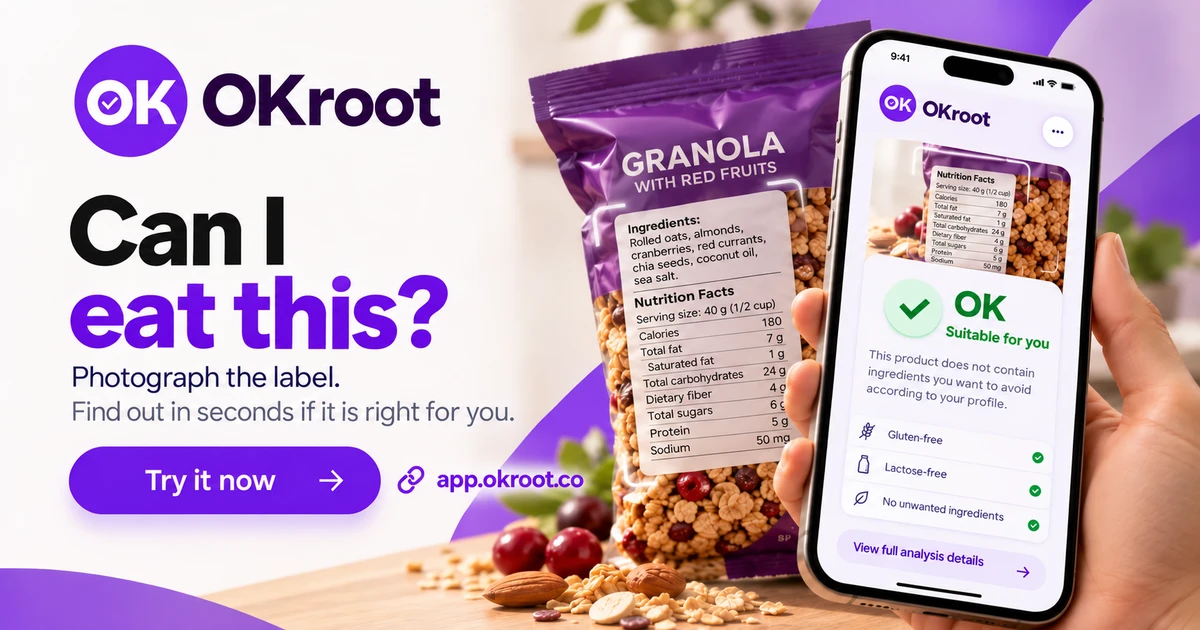
- The user photographs the label and gets a verdict in seconds, with the reason, based on their profile.
- Result
- In validation with real clients. App core in production, in early access, with the waitlist open.
01 App
PWA with an AI label scanner and an offline sync queue. View detailsHide
- React
- TypeScript
- Vite
- Tailwind CSS
- Dexie
- Django
- DRF
- PostgreSQL
- Claude API
- PWA
The problem
Eating with celiac disease, diabetes or lactose intolerance means reading every label, deciphering ingredients hidden under other names and cross-checking several restrictions at once, all by hand. Existing apps usually validate one condition and rely on a fixed product database.
Every label, by hand
Shopping or eating out means reading the back of every product, over and over.
Ingredients in disguise
Lactose, gluten or sugar show up under technical names few people recognize.
Restrictions that stack
Existing tools validate one condition at a time and rely on a fixed product list.
Results
- Scanner in production: label photo, verdict with the specific reason and support for all three conditions at once.
- Complete core in production: profile, scanner, diary with health log, recipes, insights and weekly grocery list on Django, PostgreSQL and React.
- Offline sync queue running for scans, meals and the shopping list, with idempotent batch delivery when the network returns.
View technical details OpenHide technical details
What I built
- 01
Frontend in React and strict TypeScript, with Vite, Tailwind CSS, React Router, and per-feature routes loaded on demand. Zustand holds the session, TanStack Query manages server data, and react-hook-form with zod validates the forms. A custom fetch layer, no Axios.
- 02
Backend in Django and Django REST Framework on PostgreSQL, organized by domain (users, scanner, diary, recipes, insights, market, payments and sync). Logic lives in services and views only orchestrate. Every response uses the same data and error envelope.
- 03
Server-side scanner: the client and the server both validate the image (type, size, and minimum resolution). The server calls Claude with a prompt that knows the user's conditions and ingredients to avoid, and parses a line-based answer into a verdict, trace risk, problem ingredients, and macros.
- 04
The image is not stored: it goes to the model and is discarded. If the label is unreadable, the server replaces the model's text with a concrete hint (blurry, low light, glare, cropped text, no ingredient list) instead of guessing.
- 05
Health profile as persistent state: three combinable conditions, goal, physical data with an energy expenditure calculation (Mifflin-St Jeor) and ingredients to avoid. An ingredient the user flagged forces the reject verdict in code, without relying on the model remembering it.
- 06
Diary with meals and macros, weekly summary and a health log (energy, skin and glucose). Insights with alerts, streak, water glasses and a simple glycemic estimate for diabetics. A weekly grocery list built from favorite recipes and what was logged in the diary.
- 07
Offline: the service worker (Workbox) precaches the app and API queries go network first with a cache fallback. Offline scans, meals, and shopping list changes wait in an IndexedDB queue (Dexie) and are sent in batches when the network returns.
- 08
Idempotent sync: every operation carries a client-generated UUID key and the server returns the existing entity if it recognizes it, so a retry never duplicates. The batch goes in order, with spaced retries and the server as the source of truth.
- 09
Scan quota reserved atomically in the database before calling the model and returned if the call fails, so simultaneous requests cannot exceed the cap. Subscriptions with hosted Stripe and MercadoPago checkout and signature-verified, idempotent webhooks.
- 10
Security: authentication with short-lived, rotating tokens, Google sign-in verified on the server, protection against repeated attempts, and security headers.
- 11
Quality and delivery: linter, migration checks, over 500 backend tests and over 250 frontend tests, and secret and vulnerability scanning on every release. Reproducible deployment.
Label scanner
Photo of the label and a verdict on four levels: suitable, caution, not suitable and no data. It shows the deciding ingredient, the cross-contamination risk, one row per active condition and the macros read from the nutrition table.
Profile and ingredients to avoid
Four-step onboarding with the conditions (combinable), the goal, physical data and the ingredients the user never wants to see. It can be edited later from the profile.
Diary and health log
Meals by time of day with calories and macros, a weekly summary and a daily log of energy, skin and glucose. Logging meals works without a connection.
Recipes
50 curated recipes, all gluten-free, lactose-free and sugar-free. They can be filtered by meal, time, difficulty and favorites, and any that contain an ingredient to avoid are left out. They can be added to the diary.
Insights and weekly grocery list
A weekly summary with alerts, logging streak and water glasses. A weekly grocery list is built from the ingredients of favorite recipes and what was logged in the diary.
One photo, one answer. Here is what happens underneath.
- 01 The app validates the photo: type, size and minimum resolution
- 02 The server checks it again and reserves one scan from the quota before calling the model
- 03 Claude reads the ingredients with your conditions and your ingredients to avoid in the prompt
- 04 The server parses the answer, applies your forbidden ingredients as a hard rule and stores the result
- 05 Answer on screen: you can eat it, or the exact ingredient that rules it out
Design
- 01
The design starts from a navigable prototype, reachable from the View design button.
- 02
A custom design system, version 2.0, with tokens in a single CSS file. Violet as the primary color on warm neutrals and dedicated colors for the suitable, caution and not suitable verdicts.
- 03
Bricolage Grotesque for headings and Plus Jakarta Sans for body text, both self-hosted. Lucide icons with a uniform stroke.
- 04
The verdict does not rely on color alone: it carries a mark (check, exclamation or cross) and a large word, and it is announced to screen readers with live regions.
- 05
Built for the phone: the interface lives inside a mobile frame with a four-tab bottom navigation plus a fifth tab for plan or market.
- 06
Animation is reduced to nothing when the user asks for it, touch targets are 44 px on several controls and focus rings are visible.
- 07
All text is in Colombian Spanish and in the informal register. Today the interface is light only, with no dark mode.
Architecture decisions
01 Real medical niche, not generic wellness ViewClose
- Context
- There are many healthy-eating apps. People with celiac disease, diabetes or intolerance have specific needs and real consequences if they make mistakes.
- Trade-off
- A broader product reaches more users but dilutes the proposition and lowers the validation standard.
- Decision
- OKroot is built for people who already have the condition. That defines the prompt, the verdicts and the rule that a doubt is shown as a doubt, never as a suitable.
02 Combinable conditions as state, not context ViewClose
- Context
- A user can have all three conditions at once, and repeating them in every request is a source of omissions and inconsistent answers.
- Trade-off
- Validating one restriction is simple. Validating three at once requires modeling the profile and building the prompt from it.
- Decision
- The conditions and ingredients to avoid live in the database. Each scan builds its prompt from that profile and validates against all active conditions.
03 Claude API instead of an ingredient list ViewClose
- Context
- A restricted ingredient shows up under dozens of names: lactose as whey, casein or milk solids; gluten as malt, semolina or spelt. A fixed list ages and does not cover every case.
- Trade-off
- A list is predictable and cheap, but needs maintenance and breaks on new names. The model generalizes, but it can be wrong and costs per call.
- Decision
- The model analyzes the real label with a list of technical names in the prompt. Anything critical is not delegated: the ingredient the user forbade forces the reject in code, and an unreadable image gets a fixed hint, not a guess.
04 A line-based answer, parsed with rules ViewClose
- Context
- The result feeds a screen with verdict, conditions, ingredients and macros, and it cannot break if the model changes its wording.
- Trade-off
- A line format with regular expressions is more fragile than a strict schema, but it is simple and easy to test.
- Decision
- The server parses each field separately: a verdict it does not understand becomes no data and a macro it cannot read is dropped instead of being invented.
05 The quota is reserved before calling the model ViewClose
- Context
- Every scan costs money, and two simultaneous requests can pass a check made before the other one deducts.
- Trade-off
- Reserving first forces you to return the scan if the call fails, and a bad refund leaves the user without scans.
- Decision
- The reservation locks the subscription row inside a transaction. If the model call fails, the scan is returned and the user gets a no-data result instead of a lost charge.
06 PWA with offline writes, not a native app ViewClose
- Context
- Meal logging happens in the moment, not always with a good signal, and the scanner needs a server because the AI does not run on the device.
- Trade-off
- A traditional web app fails without a connection. A native app requires store publishing and two codebases.
- Decision
- A service worker that precaches the app and an IndexedDB queue for scans, meals and the shopping list. A scan made offline is processed when the signal returns, not instantly. It installs from the browser.
07 Batch sync with idempotency, no merging on the client ViewClose
- Context
- An offline queue that retries can send the same operation twice, and merging changes on the client multiplies the edge cases.
- Trade-off
- Without client-side merging, the server has the last word. In exchange, the model is simple and retries are safe.
- Decision
- Each operation carries a UUID key and the server returns the already created entity if it recognizes it. One failed operation does not stop the batch, and the client retries with growing delays.
Learnings
A language model handles the ambiguous well, but the critical part is secured in code: the ingredient the user forbade is applied as a hard rule, and an unreadable image gets a fixed answer instead of a guess.
Reserving the quota before calling the model and returning it on failure avoids both concurrent overuse and charging for a scan that never arrived.
Being precise about what works offline matters. The scanner needs a server, so a scan without a network is queued and processed when the signal returns.
Roadmap
Now
- PWA in production in early access, with scanner, diary, recipes, insights, weekly grocery list and subscriptions.
Next
- Read the diary and recipes from local storage without a connection: today only the scan history is read from the cache.
Later
- Recipe finder based on what is in the fridge, planned and not yet implemented.
02 Landing
Astro waitlist landing with a recipe collection and consent-gated analytics. View detailsHide
- Astro
- TypeScript
- Tailwind CSS
- Vercel Functions
- Supabase
- GA4
- SEO
- A11y
The problem
An app with several dietary restrictions has to say precisely who it serves and what it does before anyone signs up. And because it deals with health, it cannot promise what it is not: no medical claims and no technology names that do not help the user.
Reading every label, one by one
The supermarket becomes an ingredient review, and 'modified starch' at 8 pm helps nobody.
Crossing several conditions in the same meal
Celiac disease and diabetes at once, plus lactose, and each app solves only one.
Recipes that looked safe
Discarding after the fact what was not safe, and counting the carbohydrates of every dish by hand.
A health promise that cannot be sustained
On a medical topic, one claim too many costs trust and exposes you. You have to say what the tool does and what it does not.
Results
- Landing in production with the waitlist storing requests, a recipe collection and legal pages.
- Consent-gated analytics and technical SEO with structured data from launch.
View technical details OpenHide technical details
What I built
- 01
Astro with static output and Tailwind CSS configured in CSS. No adapter and no UI framework: JavaScript is vanilla, one script per component. Lucide icons are inlined at build time as SVG, with no JavaScript in the browser.
- 02
A landing page of nine sections in a fixed order: Hero, Pain, How it works, Comparison, Features, Success stories, Pricing, Waitlist and FAQ. There are also About, Contact and FAQ pages, and the four legal ones (privacy, terms, habeas data and cookies).
- 03
A recipe collection as a content collection: each recipe is a Markdown file validated at build time with a zod schema. A recipe that does not comply breaks the build and never reaches production. The index and one page per recipe are generated statically, with recipe JSON-LD and breadcrumbs.
- 04
The pricing section data and the early access spots live in a single constants file, and the spots counter accepts only a real number: at zero, the scarcity line disappears.
- 05
Waitlist with name, email, and a mandatory consent checkbox. It sends JSON to a server function that validates and normalizes, and saves to a shared Supabase table. The browser never talks to Supabase.
- 06
The function stores only name, email, product, consent date and the page path. It neither receives nor stores health data or the IP, and drops any extra field. A repeated email answers 'you are already in' without creating another row, and it only stores in production: in preview it validates and reports that storage is disabled.
- 07
Analytics: GA4 with consent. It never loads by default; a cookie banner stores the preference and only enables analytics if the visitor accepts. A manual page_view covers navigation with transitions.
- 08
Navigation with View Transitions as progressive enhancement: each route is still a real HTML file, and scripts re-run on every page load.
- 09
Technical SEO: title, description, canonical, Open Graph and Twitter, automatic sitemap and JSON-LD with Organization, WebSite, SoftwareApplication and FAQPage. The FAQ feeds the accordion and the schema from the same source.
- 10
Security: strict headers (CSP, HSTS, anti-framing, and restricted permissions) and immutable caching on hashed files.
- 11
Quality: verification is astro check (TypeScript and templates) plus the build, which also validates the recipe schema. CI runs both on every pull request, with a dependency audit that reports but does not block. There are no automated UI tests.
Hero with a concrete promise
Headline 'Photograph the label. Know in seconds if you can eat it', the three conditions named, a button to the waitlist and an animated scanner mock.
Pain, in six scenes
A carousel with the six everyday annoyances: horizontal swipe on mobile and pinned scrolling on desktop.
How it works and comparison
Three steps (photograph, AI analysis and an answer with the reason) and a table against other apps: restrictions together, the real label and scope beyond the scanner.
Features and founder
Persistent profile, curated recipes and a diary with offline support, and a section presenting the creator as the first user, with links to her portfolio and social profiles.
Waitlist and FAQ
A form with explicit consent and nine frequently asked questions that answer with clear limits: it is not a replacement for the doctor and today it only reads ingredient labels.
Recipe collection
16 gluten-free recipes with times, ingredients and notes. Benefits are only published if they cite a verifiable source.
Design
- 01
The design starts from a navigable prototype, reachable from the View design button.
- 02
Violet as the primary color on cream backgrounds, in the same visual family as the app, with a hero in a soft gradient card.
- 03
Fonts are self-hosted and served from the site itself, requesting nothing from third parties.
- 04
Sections with an editorial eyebrow, reveal animations with IntersectionObserver and pure CSS, without an animation library.
- 05
Iconography as inlined SVG: no text arrows in buttons and no long dashes in the copy.
- 06
An animated scanner in the hero that shows the scan and the verdict without loading the real product.
- 07
All content is in Spanish and so are the routes (preguntas, contacto, sobre-mi, recetas).
Architecture decisions
01 Action before the list of conditions ViewClose
- Context
- There are three conditions and a single button. Listing them all on the first screen dilutes the action.
- Trade-off
- Naming the conditions gives clarity. Putting them in a button overloads it.
- Decision
- The headline promises the action ('photograph the label') and names the three conditions once, below. Every button leads to the same destination: the waitlist.
02 Copy without stack or medical claims ViewClose
- Context
- The user does not need to know what it was built with, and in health, words like diagnosis or treatment promise what the tool is not.
- Trade-off
- Leaving out the stack removes technical credibility. Leaving out medical claims limits the pitch.
- Decision
- The text describes the benefit and never the technology. The answers clarify that it is an aid for deciding and does not replace the doctor, and recipes only publish benefits with a source.
03 A founder who is the first user ViewClose
- Context
- A health product without social proof loses trust, but inventing cases destroys it.
- Trade-off
- A single case is little evidence. A real one weighs more than several filler ones.
- Decision
- The success stories section tells the creator's real story and leaves a carousel ready to add cases when they exist, without inventing them.
04 Consent before analytics ViewClose
- Context
- The landing talks about health, and loading a tracking script by default contradicts what it promises.
- Trade-off
- GA4 behind a banner loses some visits, but the cookie policy can be true.
- Decision
- GA4 only loads if the visitor accepts, and it turns off if there is no ID. The banner clarifies that no health profile data is collected.
05 The waitlist does not ask for health data ViewClose
- Context
- Asking for the condition when signing up would give useful data, but would turn a contact list into sensitive data.
- Trade-off
- Without the condition you cannot segment. In exchange, there is no health data to protect.
- Decision
- The form asks for name and email, and the function stores only allow-listed columns. Any extra field is dropped on the server.
06 Static, with a single server function ViewClose
- Context
- A landing does not need its own backend, but the form has to store without exposing keys.
- Trade-off
- The Vercel function does not run under Astro's dev server, and preview has no database.
- Decision
- The site is static and the form talks to a server function that stores the data. Outside production it validates and does not store.
07 A shared contacts table ViewClose
- Context
- Each Lúmina W product has its own waitlist, and keeping one database per product multiplies the work.
- Trade-off
- A shared table requires each function to set its own product and the table script to be identical across repositories.
- Decision
- The waitlists share one table, with a unique key per product and email. The server defines which product each entry belongs to.
Learnings
Communicating three restrictions in a single call requires prioritizing the action over the list of conditions: photographing the label is understood faster than listing what you have.
On a health topic, what you do not promise is worth as much as what you do. With no medical claims, no stack and no invented cases, every sentence can be defended.
Analytics that wait for consent and a form that does not ask for health data are product decisions, not only compliance ones.
Roadmap
Now
- Landing in production collecting the early access waitlist.
Next
- Add more success stories: today the landing tells only the founder's.
Later
- More languages and markets, and more conditions and combinations, according to the FAQ.
03 Documentation
Official product documentation: usage, features, getting started, and support. View detailsHide
- Astro
- MDX
- TypeScript
- Lucide
- Vitest
- Playwright
- Vercel
View technical details OpenHide technical details
What I built
- 01
Astro with static output, no React and no adapter, deployed on Vercel. JavaScript is vanilla TypeScript: search, side-menu state, and the table of contents.
- 02
Content in MDX with Astro content collections: one page per file, with a title, summary, and icon typed by the collection schema.
- 03
A single source of truth for navigation: the list of groups and pages defines the side menu, the mobile navigation sheet, the home page, and the previous and next pager, in reading order, with a test that checks it against the files.
- 04
Its own writing blocks, available on every page without importing them: notices, numbered steps, fields, screenshots, cards, badges, and tables.
- 05
Atomic design with an import alias per layer (atoms, molecules, organisms, templates, and layouts), with the product design system components recreated in Astro.
- 06
Client-side search: the index is generated at build time as a static JSON file and the browser queries it, with no server and no third-party service.
- 07
Technical SEO: a generated sitemap, robots.txt, a manifest, and the language declared in the document.
- 08
Security through headers, with a restrictive CSP with no third-party origins and anti-framing, anti-sniffing, referrer, and permissions headers.
- 09
Quality: ESLint, Prettier, and type checking with astro check, unit tests with Vitest, and end-to-end tests with Playwright, with CI on every PR.
Design
- 01
Design tokens come from the product design system and are not redefined on the site.
- 02
Lucide icons with a uniform stroke, through a single component.
- 03
A side bar on desktop; on mobile, a top bar with a bottom sheet to navigate.